Publish the Campaign
You can query campaign details with the API Shoplive provides and use them to build live and replay pages. Build your live pages freely with the Shoplive API.
- For the Shoplive API, see the Campaign information query and Campaign information object guides.
Plugin·API collection visibility
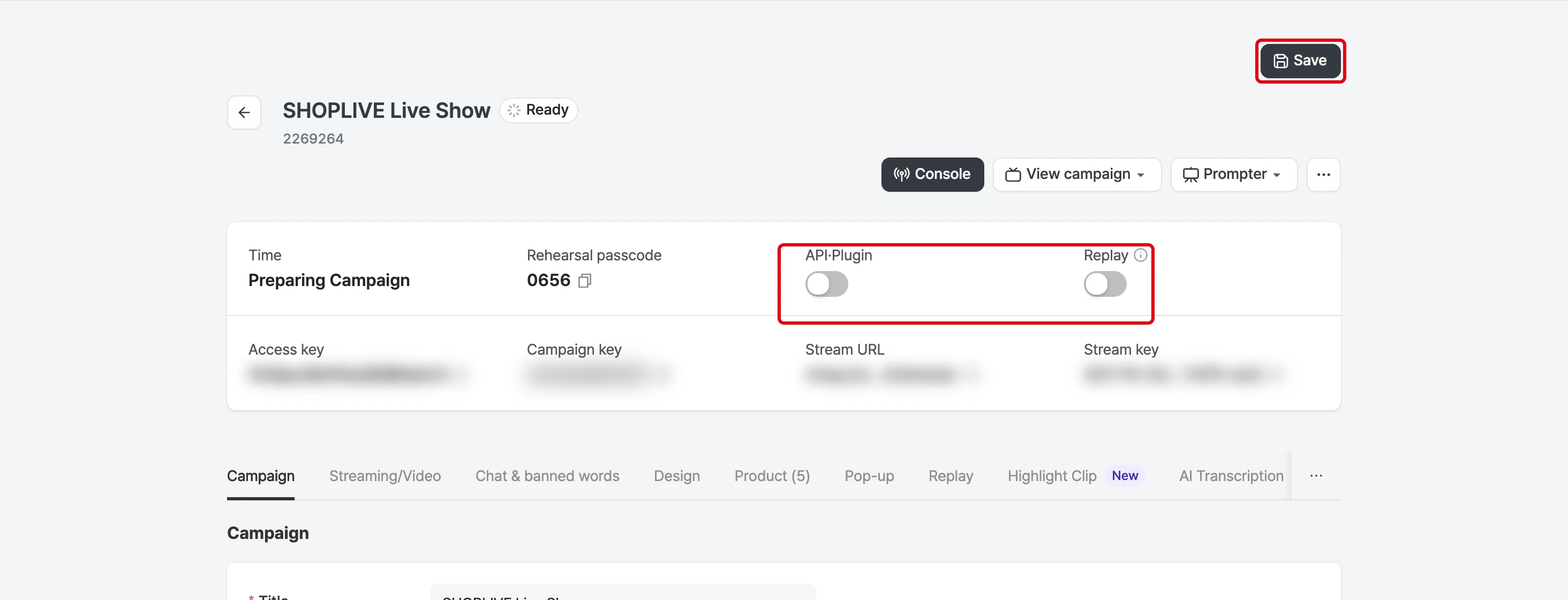
When using the campaign list API
With the Publish to Plugin·API setting on the campaign details page, you can set whether the campaign is included when the campaign list is queried through the API.
My broadcast doesn’t appear on the page. What should I do?
When you add a new campaign, this option is created as Off.
If you don’t publish it, the campaign isn’t included in the API list. It is excluded from campaign list queries and doesn’t appear in the collection list.
For the first campaign, set the scheduled start time to a future time for it to be shown. Set the scheduled start time with Scheduled start on the Campaign tab in the campaign details.
When using the Shoplive Plugin
With the Publish to Plugin·API setting on the campaign details page, you can set whether the campaign is shown on the Shoplive Plugin page.
My broadcast doesn’t appear in the Shoplive Plugin. What should I do?
When you add a new campaign, this option is created as Private.
When you want viewers to see the broadcast, change this setting to Public and select Save; the broadcast then appears in the collection list.
For the first campaign, set the scheduled start time to a future time for it to be shown. Set the scheduled start time with Scheduled start on the Campaign tab in the campaign details.
Replay visibility
When a broadcast ends, a replay video is created. The replay must be published for users to watch the broadcast again. For how to publish replays in the Shoplive Admin, see Set replay options.
| Setting | Description |
|---|---|
Plugin·API public Replay public | Broadcast shown in the collection list and Shoplive Plugin Replay can be watched |
Plugin·API public Replay private | Broadcast not shown in the collection list and Shoplive Plugin after it ends Replay can’t be watched |
Plugin·API private Replay public | Broadcast not shown in the collection list and Shoplive Plugin Replay can be watched (needs an entry point such as the broadcast URL) |
Plugin·API private Replay private | Broadcast not shown in the collection list and Shoplive Plugin Replay can’t be watched |
I set the Plugin·API option to public, but
ended broadcasts don’t appear in the list. What should I do?
Even if Collection · API is public, if the replay is set to private, the broadcast isn’t shown in the collection list or the Shoplive Plugin after it ends, so users can’t watch it. Set the replay to public.