Image Size Guide
Image Creation Guide (Portrait Broadcasts)
If you run broadcasts in portrait mode in Shoplive, create and use images according to the guide below.
Logo image
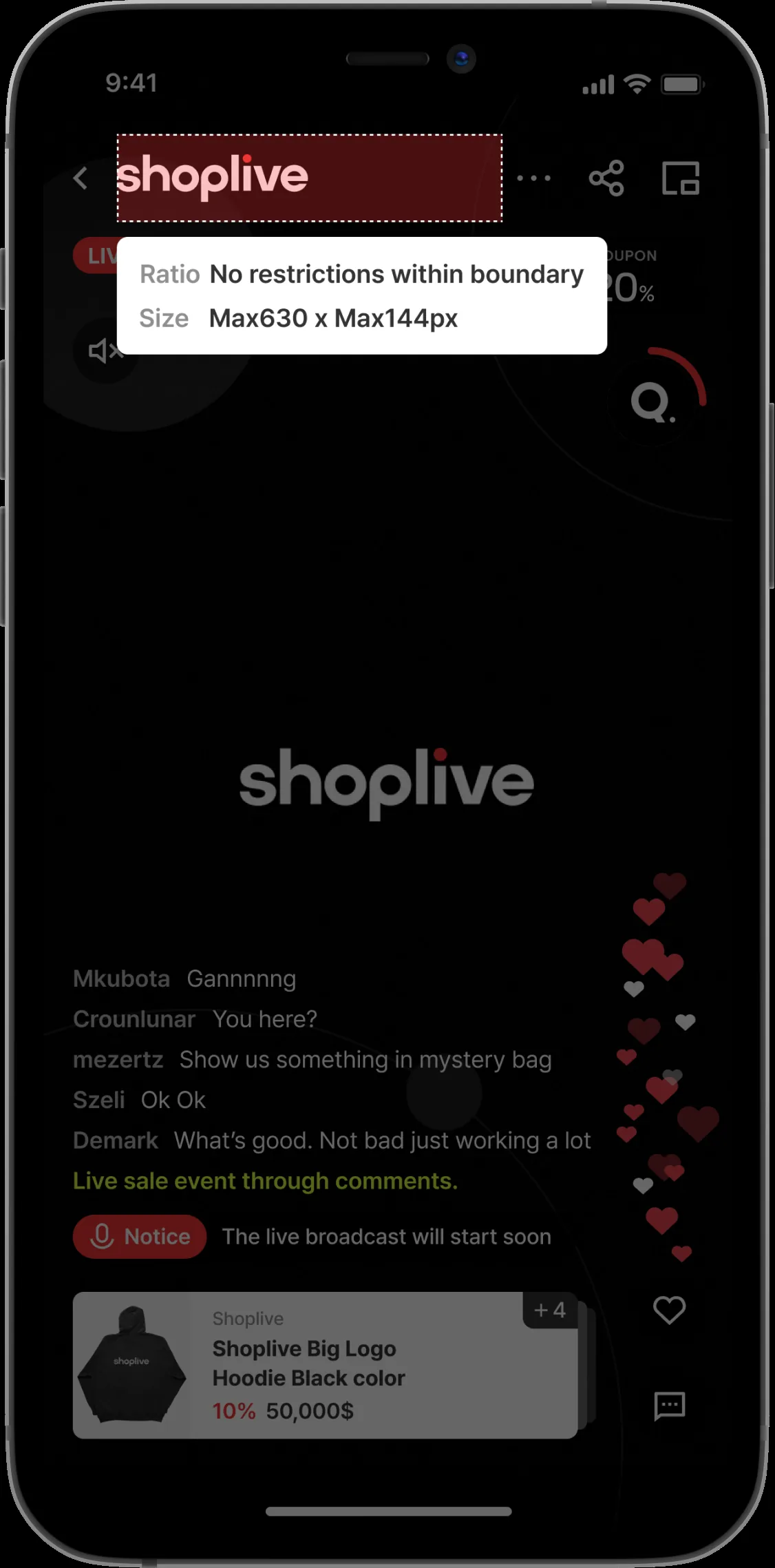
The logo image shown at the top of the player. There is no limit on the logo width, but we recommend 630px or less. Make it 144px tall with a transparent background. On screen, the image is fixed at a maximum height of 44px.
Upcoming / live / ended broadcast images
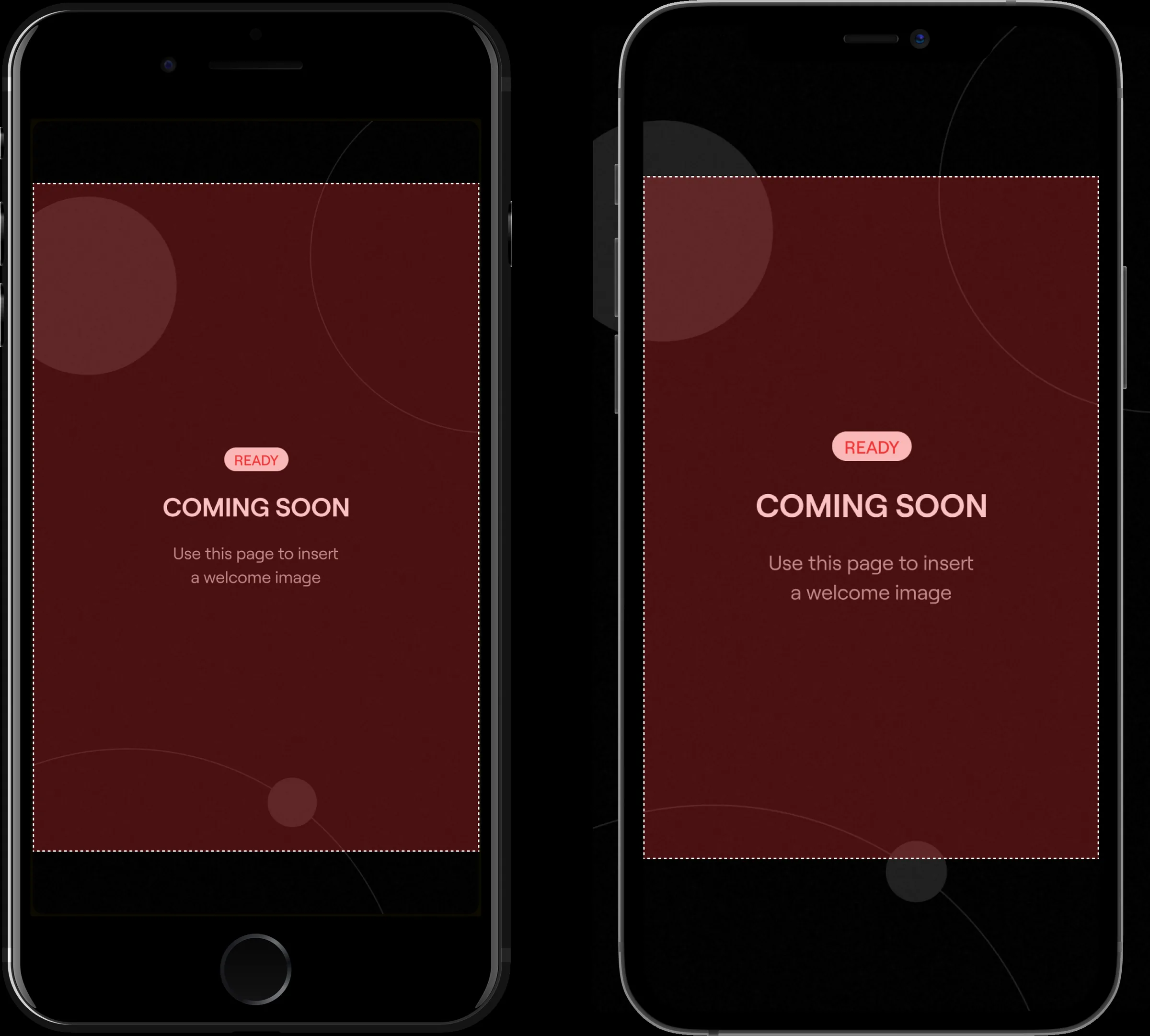
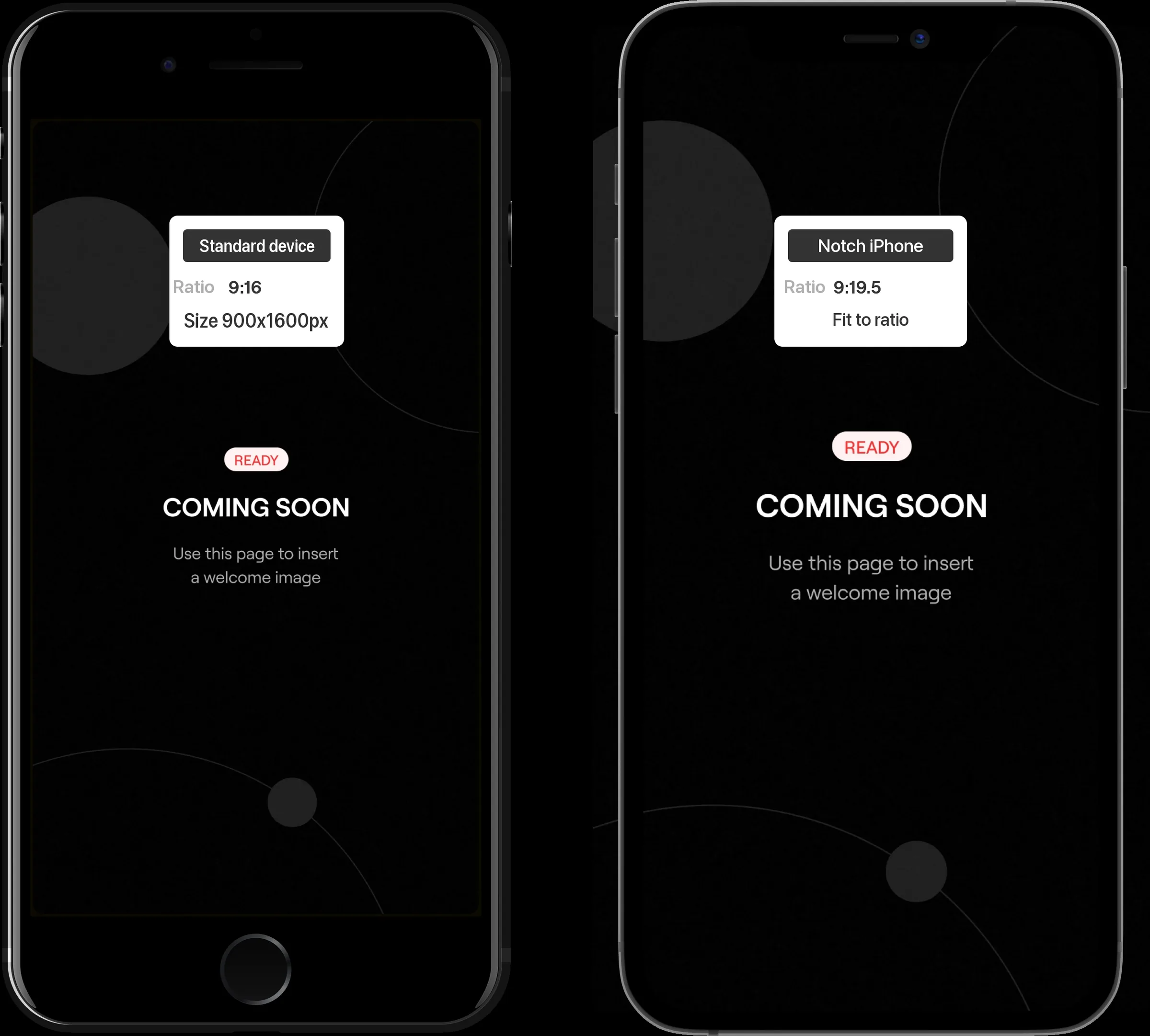
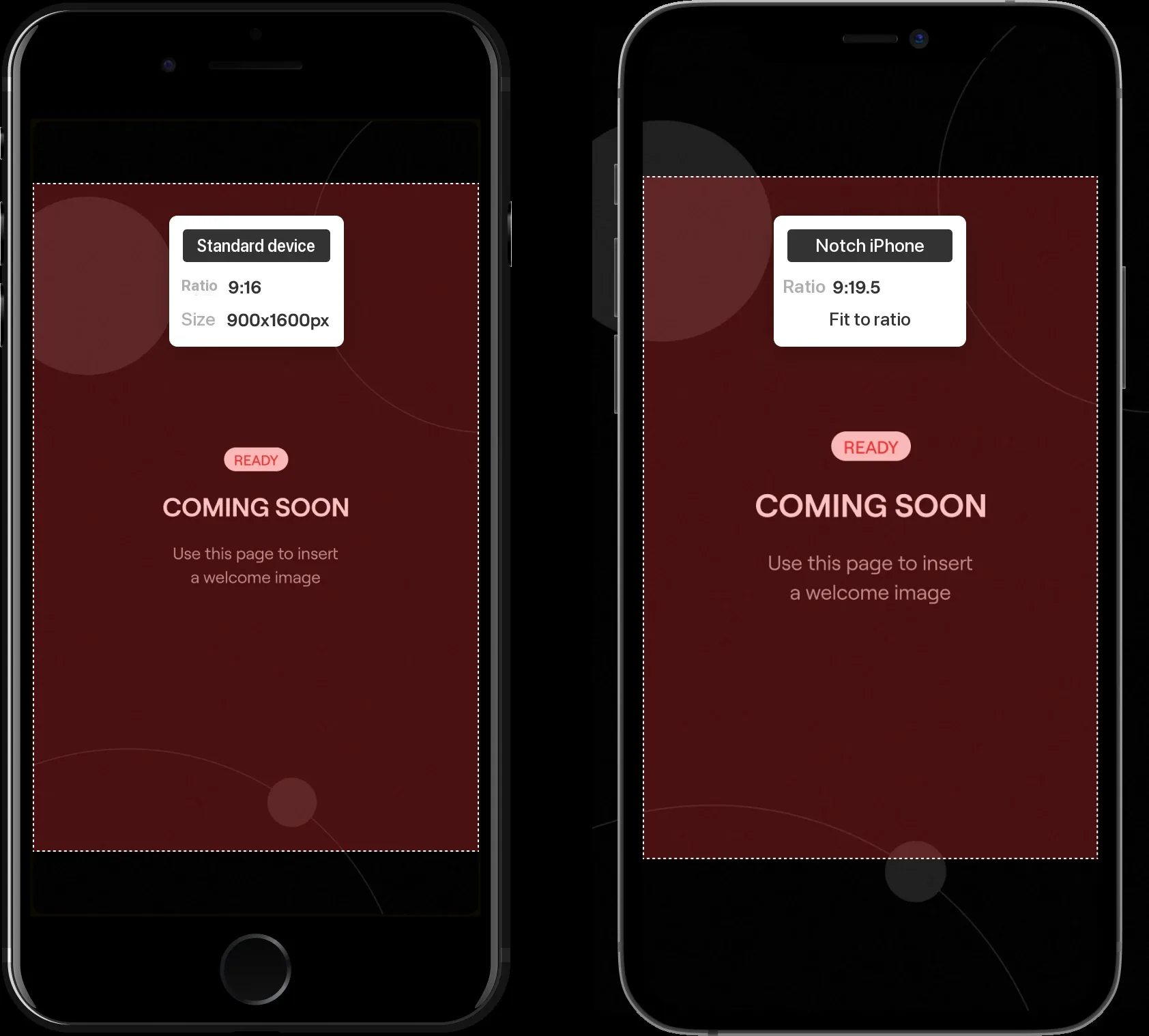
Make all images used during the broadcast at a fixed 900px wide by 1600px tall (9:16 ratio). However, on iPhones with a notch (9:19.5 ratio), the left and right edges are cropped as shown on the right. To keep content from being cropped, we recommend placing the content within 738px wide by 1600px tall.
If the Shoplive Plugin is installed
When a page with the Shoplive Plugin is opened on mobile, a broadcast preview appears. The preview is displayed at a 1:1.5 ratio, so we recommend keeping important content within that ratio.
Product image
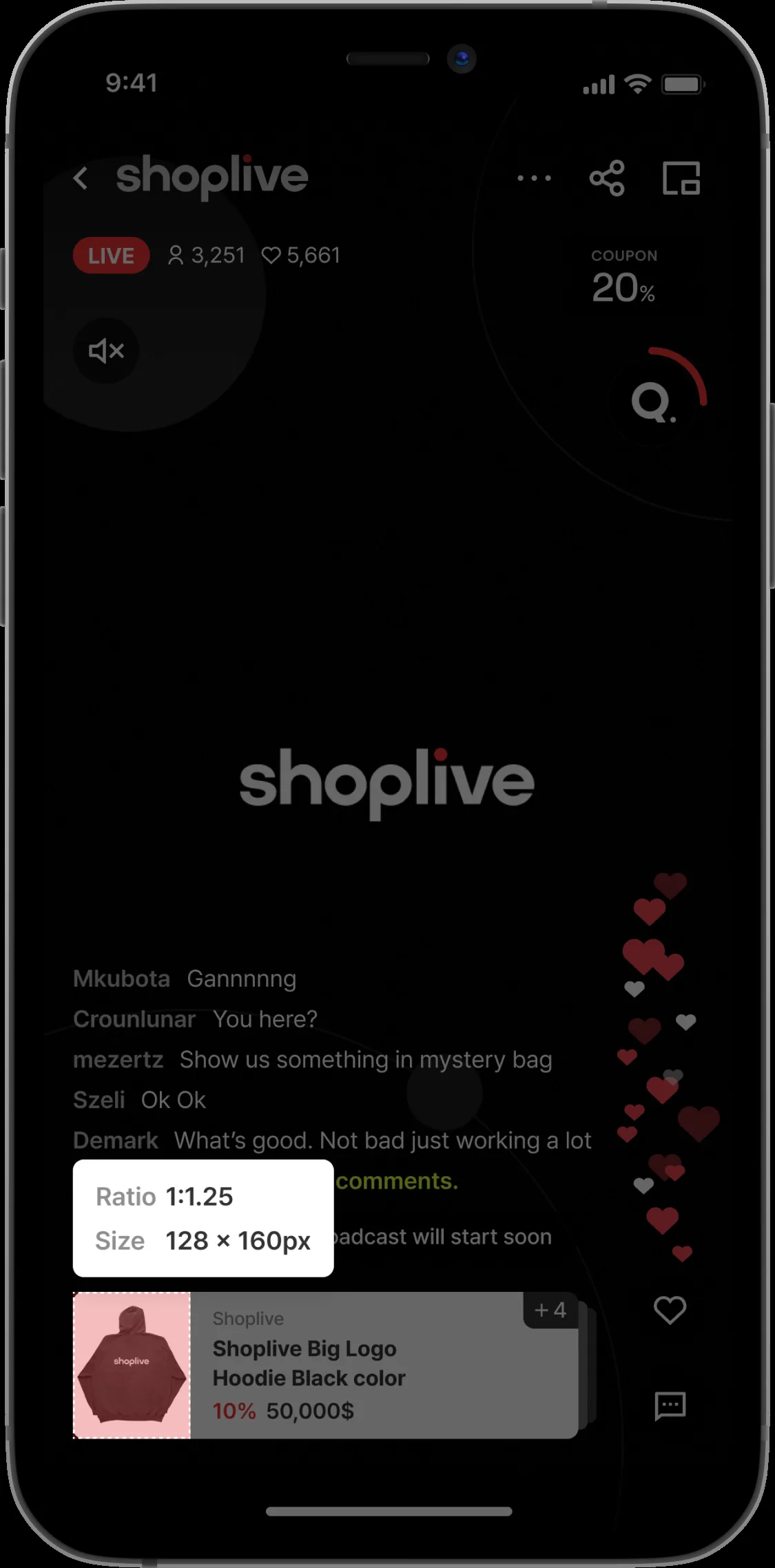
The product thumbnail shown in the player and the product image shown in the product list. We recommend product images with an output size of 64px wide by 80px tall.
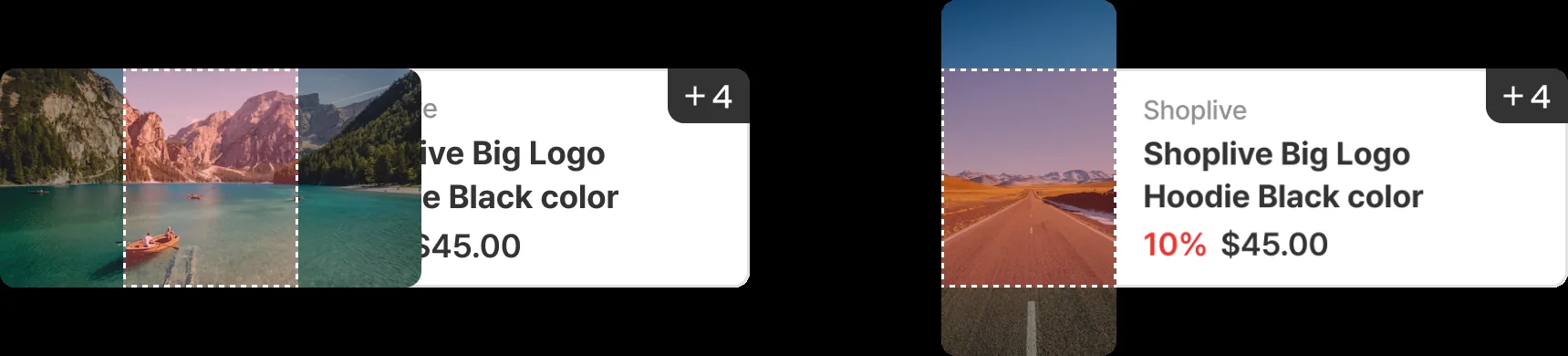
If a product image is larger or smaller than 128x160, it is resized as in the example above.
Banner image above the product list
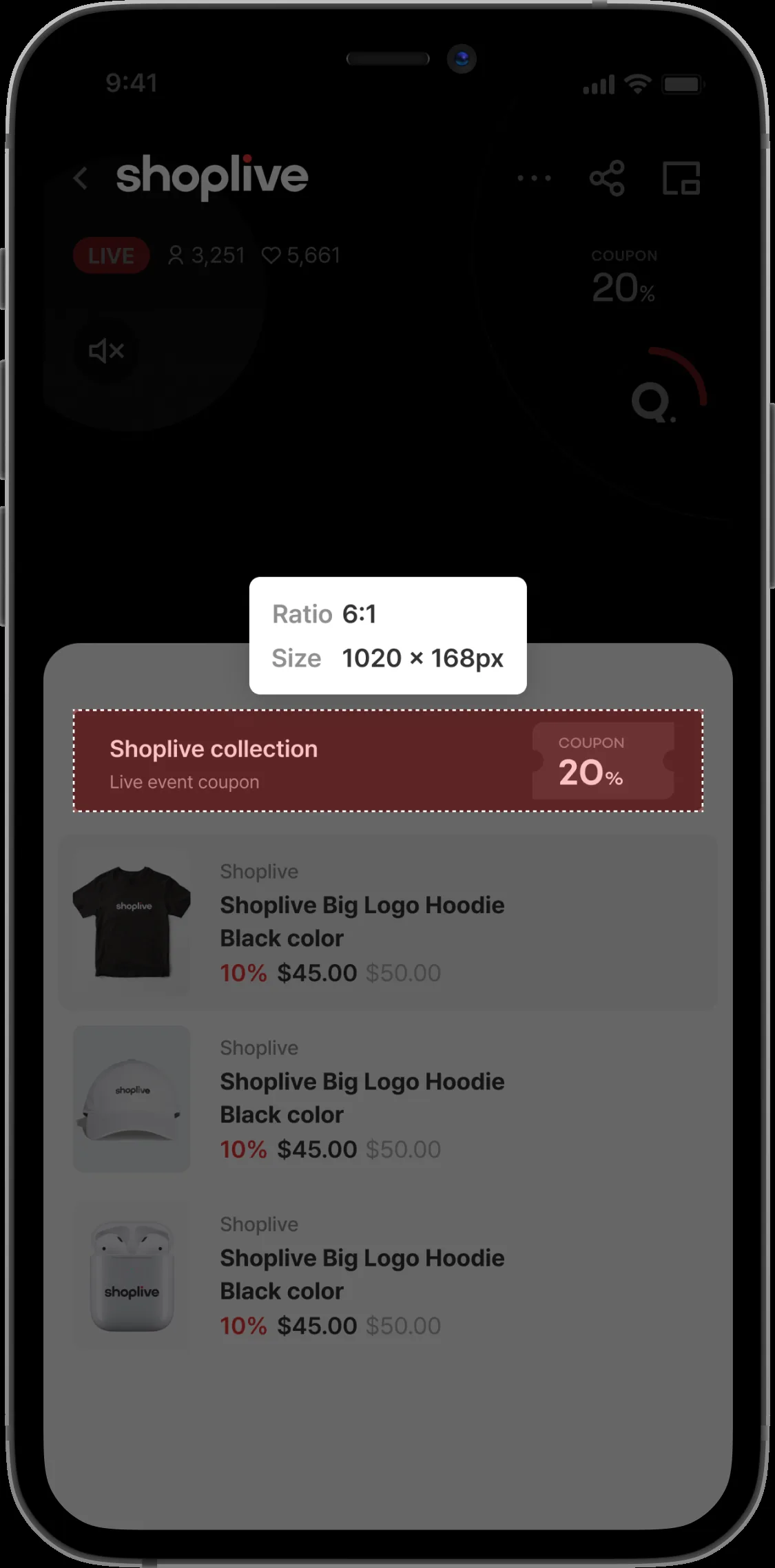
The banner image shown above the product list. We recommend 1020px wide by 168px tall. The image scales down or up with the screen size.
Popup > Coupon
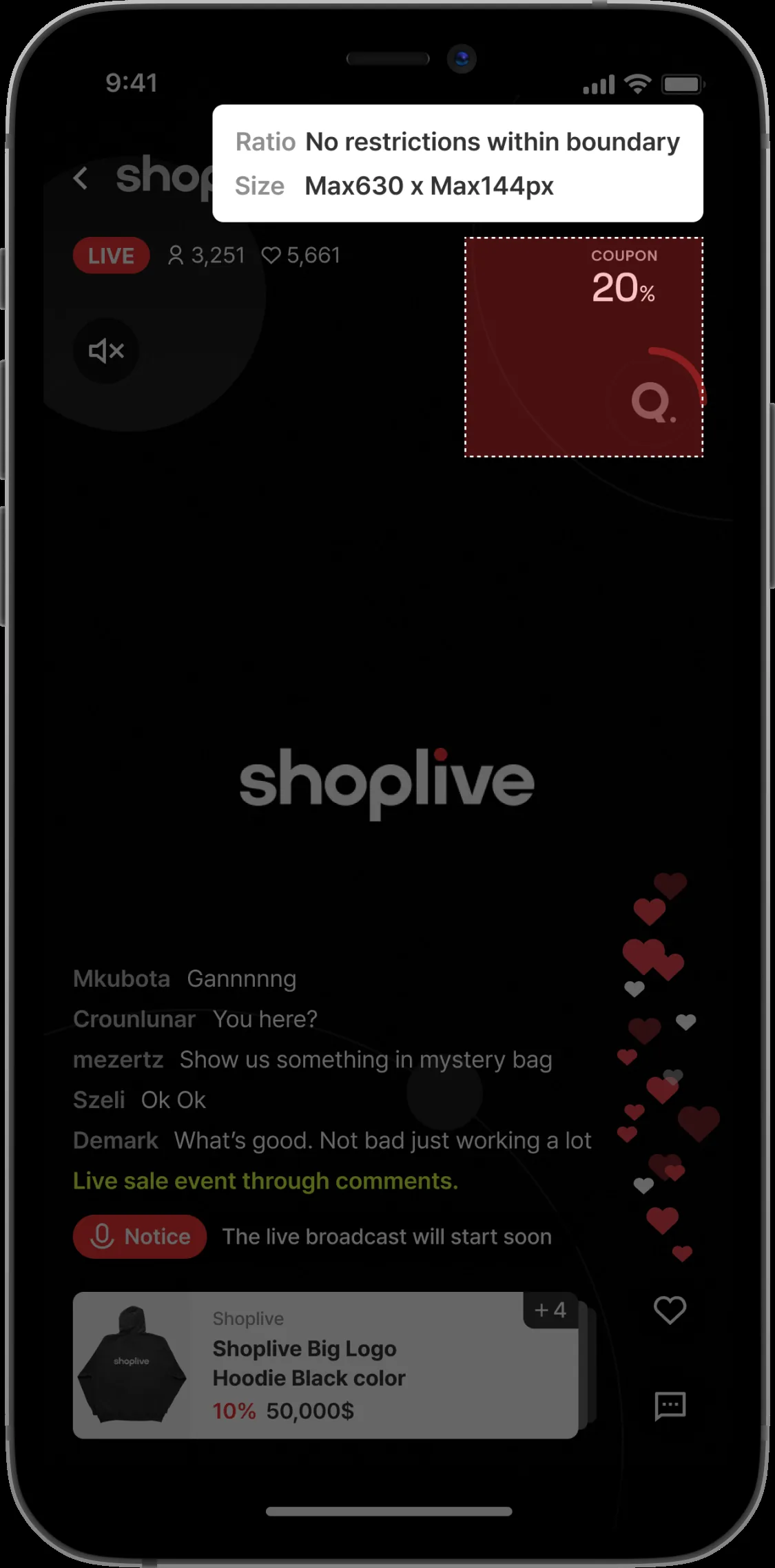
The image used in coupon popups. The coupon display area is up to 390px wide by 360px tall, but we recommend 390px wide by 180px tall. Choose a size that fits the live player UI and make the coupon image with a transparent background (png file).
Popup > Banner
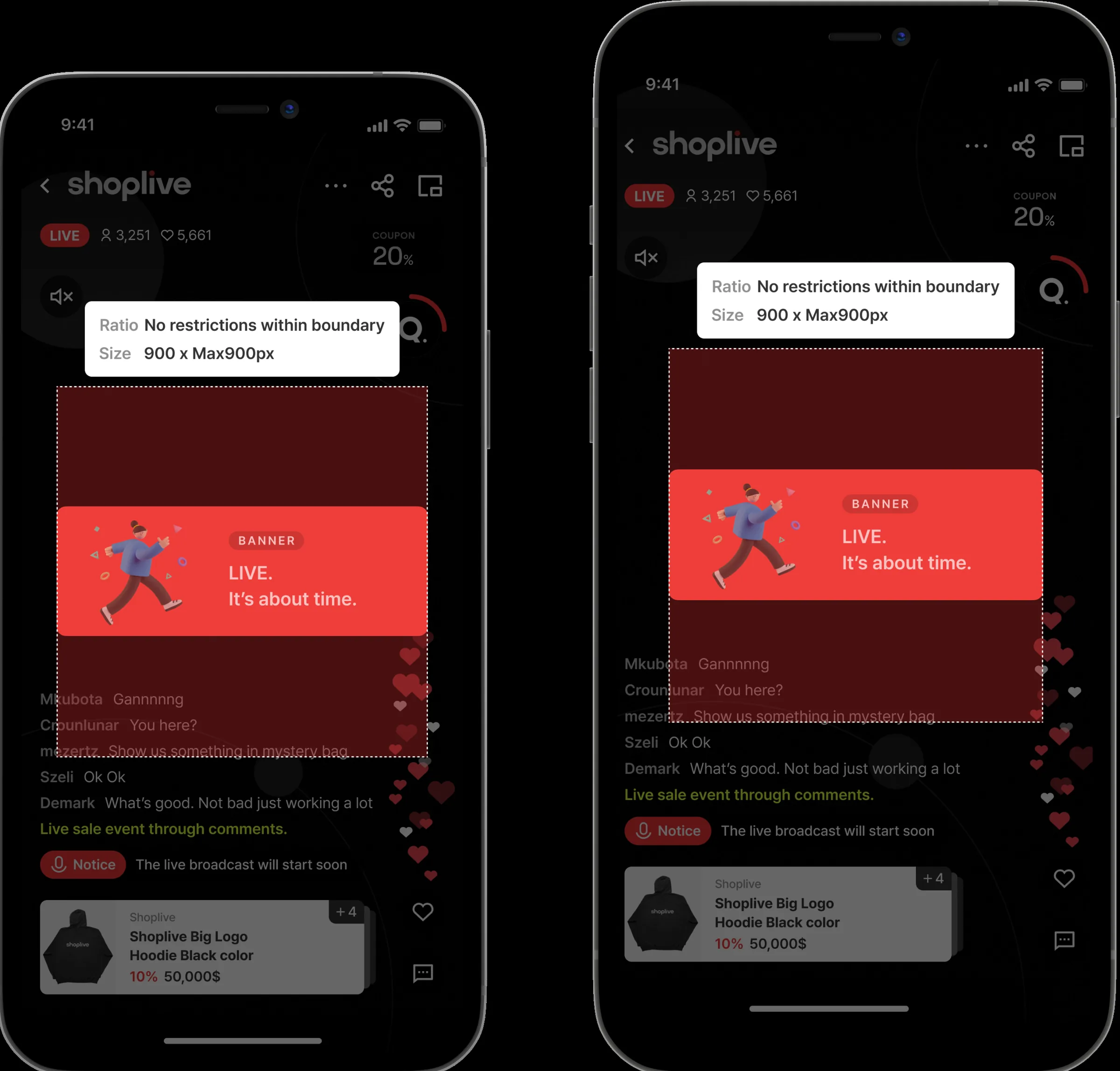
The image used in banner popups. Allowing for the margins on both sides of the player, fix the banner width at 900px (3x image); the height can vary. Banners are shown 315px wide on screen and scale up or down on devices with different screen sizes.
Device screen narrower than 375px: scaled down proportionally
Device screen 375px or wider: kept at 315px
Popup > More popup - Image
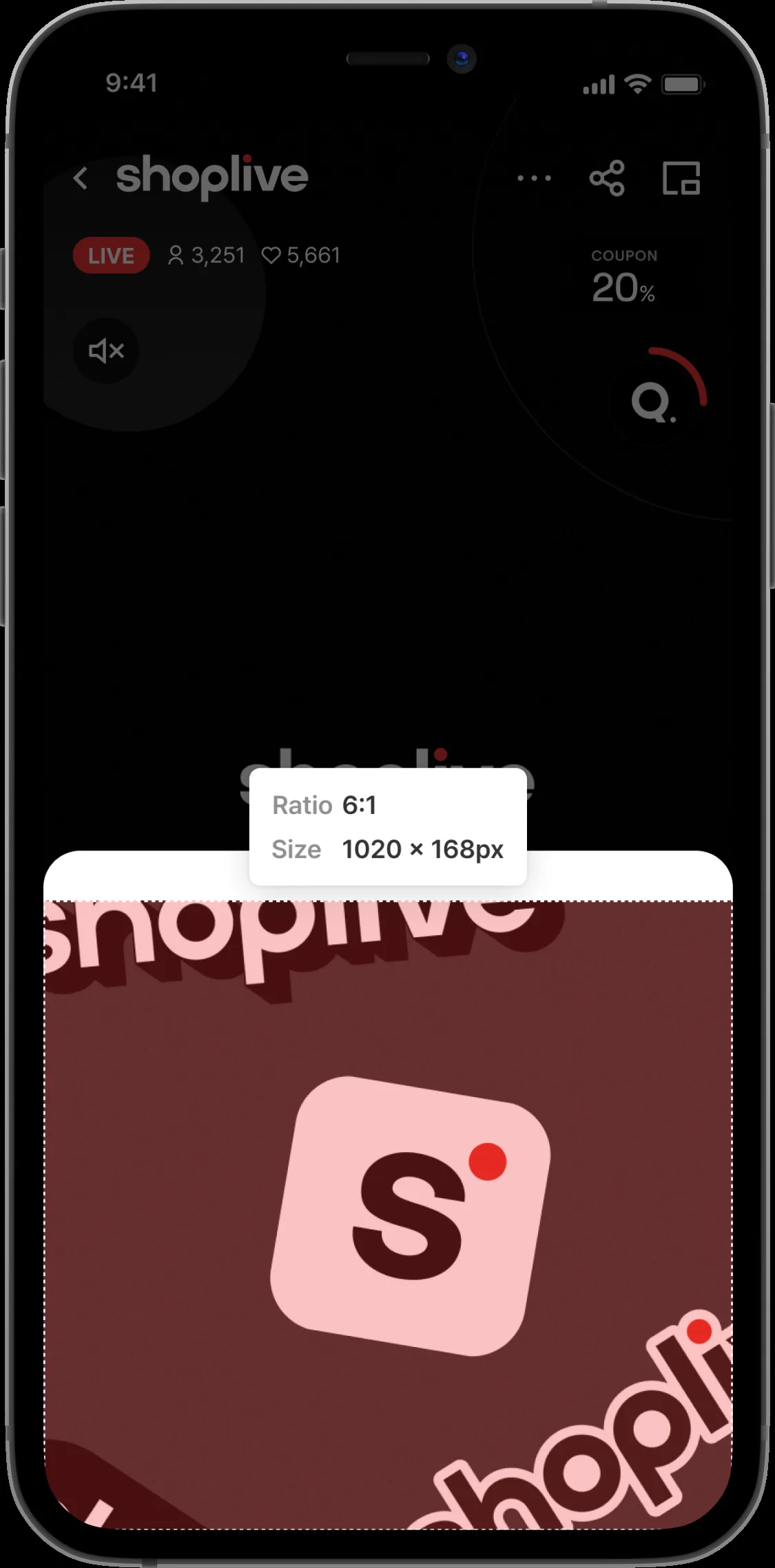
When a user taps a notice, coupon, banner or other popup, an image popup can open from the bottom.
Fix the image width at 900px and set any height you like.
Tall image popups can be scrolled.
Image popups are shown 300px wide on screen (full width) and scale up or down on devices with different screen sizes.
Device screen narrower than 375px: the banner scales down proportionally.
Device screen 375px or wider: the banner scales up proportionally.
Popup > Event winner popup (winner announcement icon in the popup)
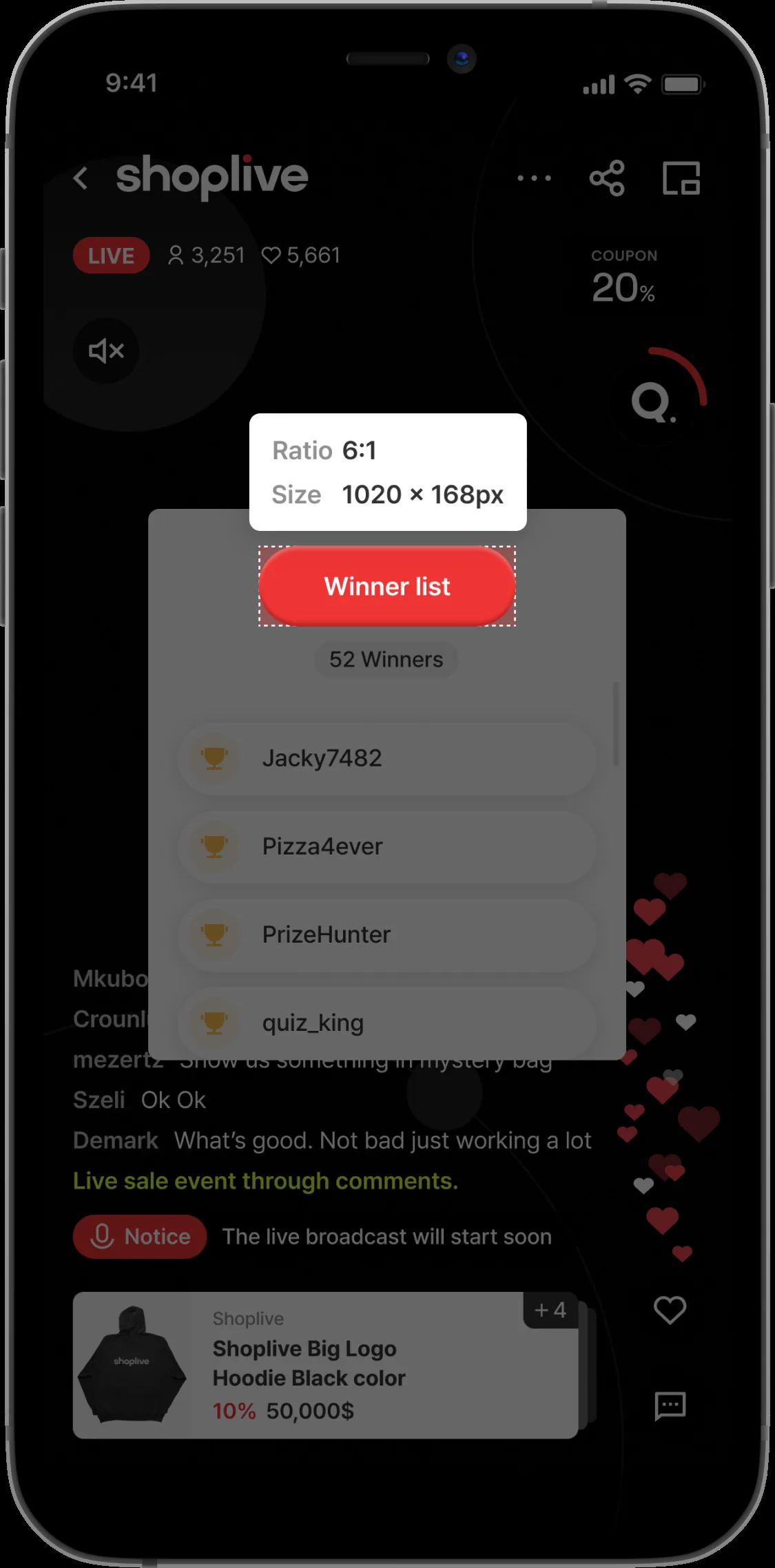
The image shown at the top of the event winner popup. We recommend a fixed size of 420px wide by 132px tall. On a 375px screen, the maximum height is 80px.
Quiz thumbnail
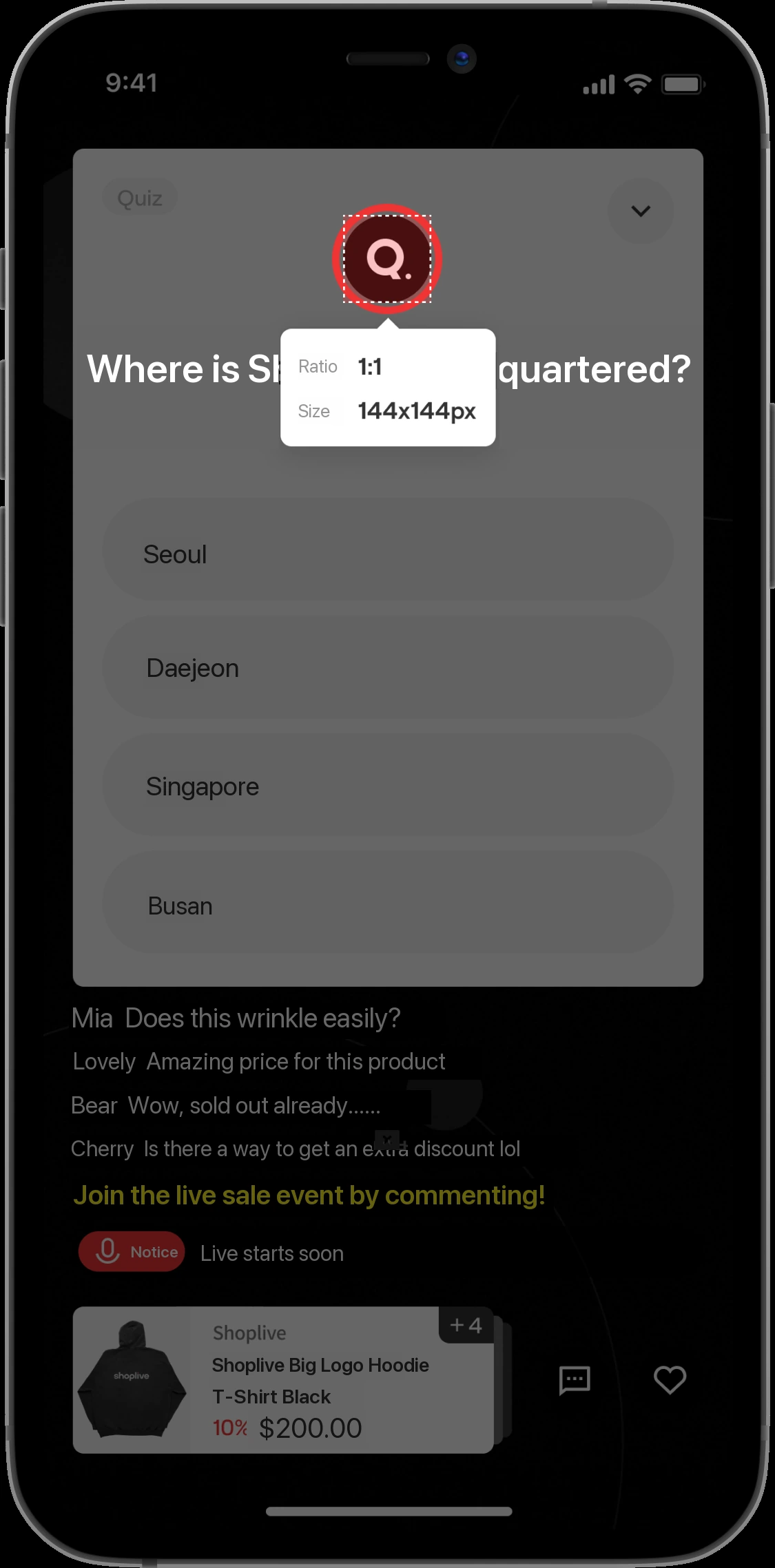
The thumbnail shown in quiz popups. We recommend 144px by 144px. Quiz thumbnails are fixed at 46px regardless of screen size.
Quiz image grid type
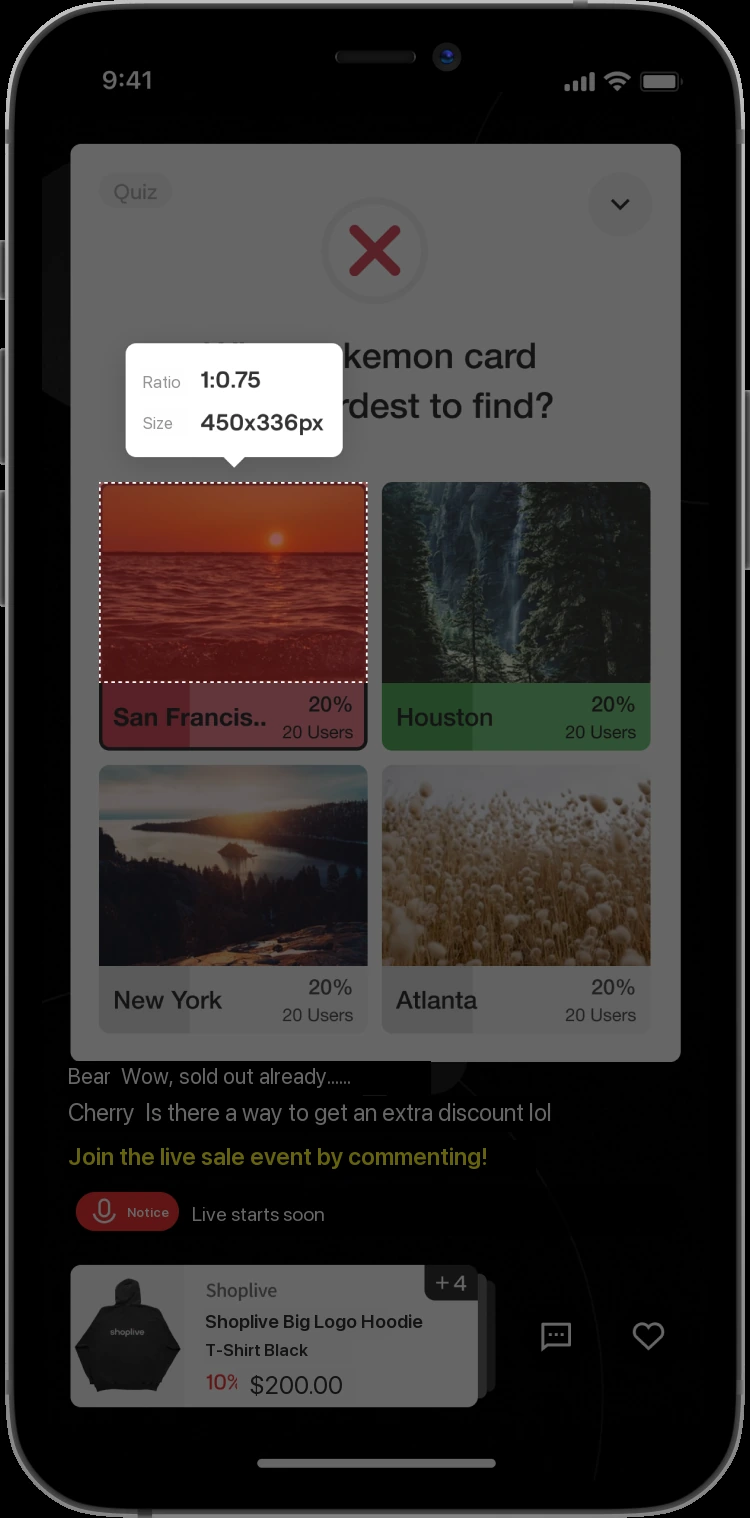
Images used for the image grid type in quiz popups. The recommended size is 450px wide by 336px tall. Larger images are automatically scaled down to 450px by 336px.
Image resource specifications
The recommended sizes below are three times the size displayed on screen, so images look sharp on high-resolution mobile devices. Simply make your images at the recommended sizes below.
Image | Recommended size | Supported formats | Size limit | Recommended file size |
|---|---|---|---|---|
Logo image |
| PNG, Animated PNG, SVG | Up to 10MB | Under 2MB |
Upcoming broadcast image Live background image Ended broadcast image IE unsupported image |
| JPEG, PNG | Up to 5MB | Under 2MB |
Product image |
| JPEG, PNG, Animated PNG, GIF | Up to 10MB | Under 2MB |
Banner above the product list |
| JPEG, PNG, Animated PNG, GIF | Up to 10MB | Under 2MB |
Popup > Coupon |
| JPEG, PNG, Animated PNG, GIF | Up to 10MB | Under 2MB |
Popup > Banner |
| JPEG, PNG, Animated PNG, GIF | Up to 10MB | Under 2MB |
Popup > More popup - Image |
| JPEG, PNG, Animated PNG, GIF | Up to 10MB | Under 2MB |
Popup > Event winner popup |
| JPEG, PNG, Animated PNG, GIF | Up to 10MB | Under 2MB |
Popup > Quiz thumbnail |
| JPEG, PNG, Animated PNG, GIF | Up to 10MB | Under 2MB |
Popup > Quiz image |
| JPEG, PNG, Animated PNG, GIF | Up to 10MB | Under 2MB |