UGC (Reviewing Customer-Uploaded Shortforms)
Use the UGC feature
What is UGC?
The UGC (User-Generated Content) feature lets users upload and share content themselves. Video reviews and an active community help raise user engagement.
UGC uploader
Get started with the uploader
Using the UGC uploader takes a simple function call. See the related guide for how to call it.
Properties you can set for the uploader include userId, userName, profileImage, tags, skus, brandIdentifier and shortsId. Only userId is required; entering tags, skus or brandIdentifier fills in the uploader form automatically and is used to create shortform collections automatically.
tags: usable with no setupskusandbrandIdentifier: must match values integrated through the API or registered in advance in the Admin
For details on building collections with tags, skus and brandIdentifier, see the related guide.
Also, when calling the uploader with a shortsId value, you can open the shortform detail page where the uploaded shortform can be viewed, edited or deleted.
Use the uploader
The default UGC uploader consists of the following elements.
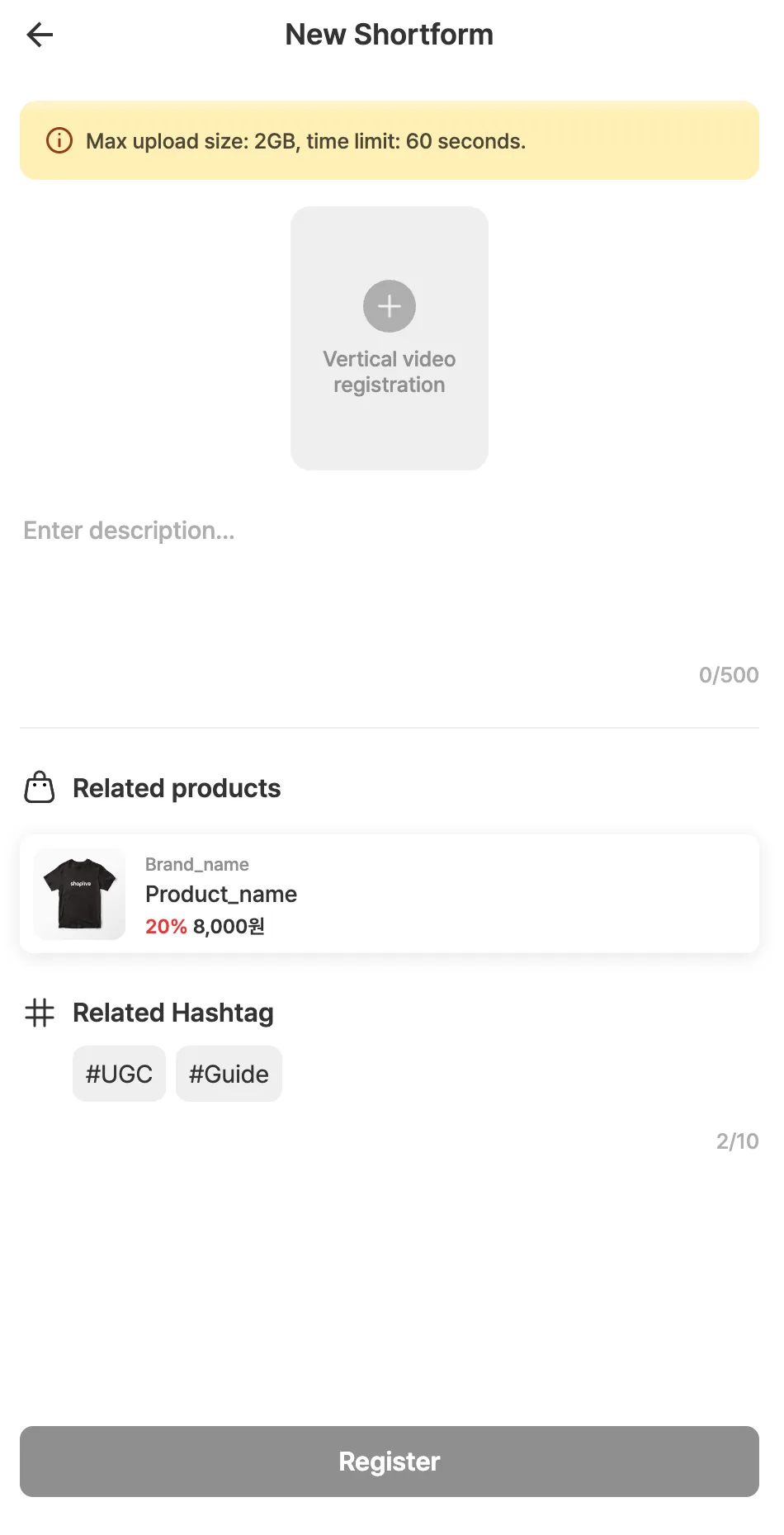
Video upload
- Max file size: 2GB
- Max duration: 60 seconds
- Supported formats: .mov, .mp4
Video description
A field for describing the shortform. Up to 500 characters.
Related products
Products related to the shortform are registered. When the uploader is called, products are matched automatically based on the products in the skus value; the products must be registered in the Shoplive Admin in advance for matching. This information can later be used to build collections and feeds.
To integrate product information through the API, contact customer support.
Hashtag
Hashtags related to the shortform are registered. If tags are passed in the tags value when the uploader is called, they appear in the uploader automatically, and hashtags can’t be added, deleted or edited. If no tags are passed, the uploader can freely add, delete and edit hashtags.
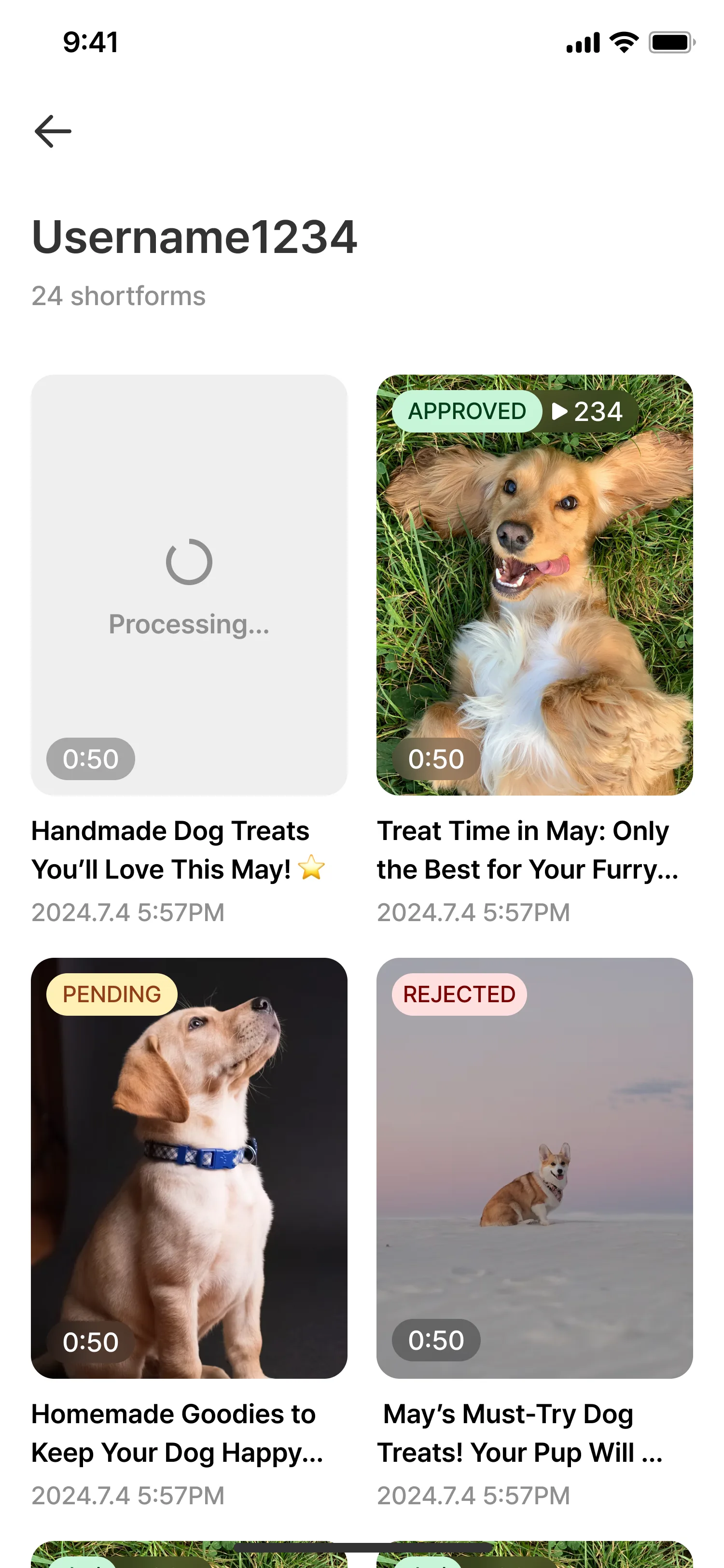
UGC list page
A page where customers can see the videos they’ve uploaded. It shows the shortform videos, review status, views, shortform details and more. See the related guide for how to open the UGC list.
Review feature
A feature that reviews videos uploaded by customers before showing them.
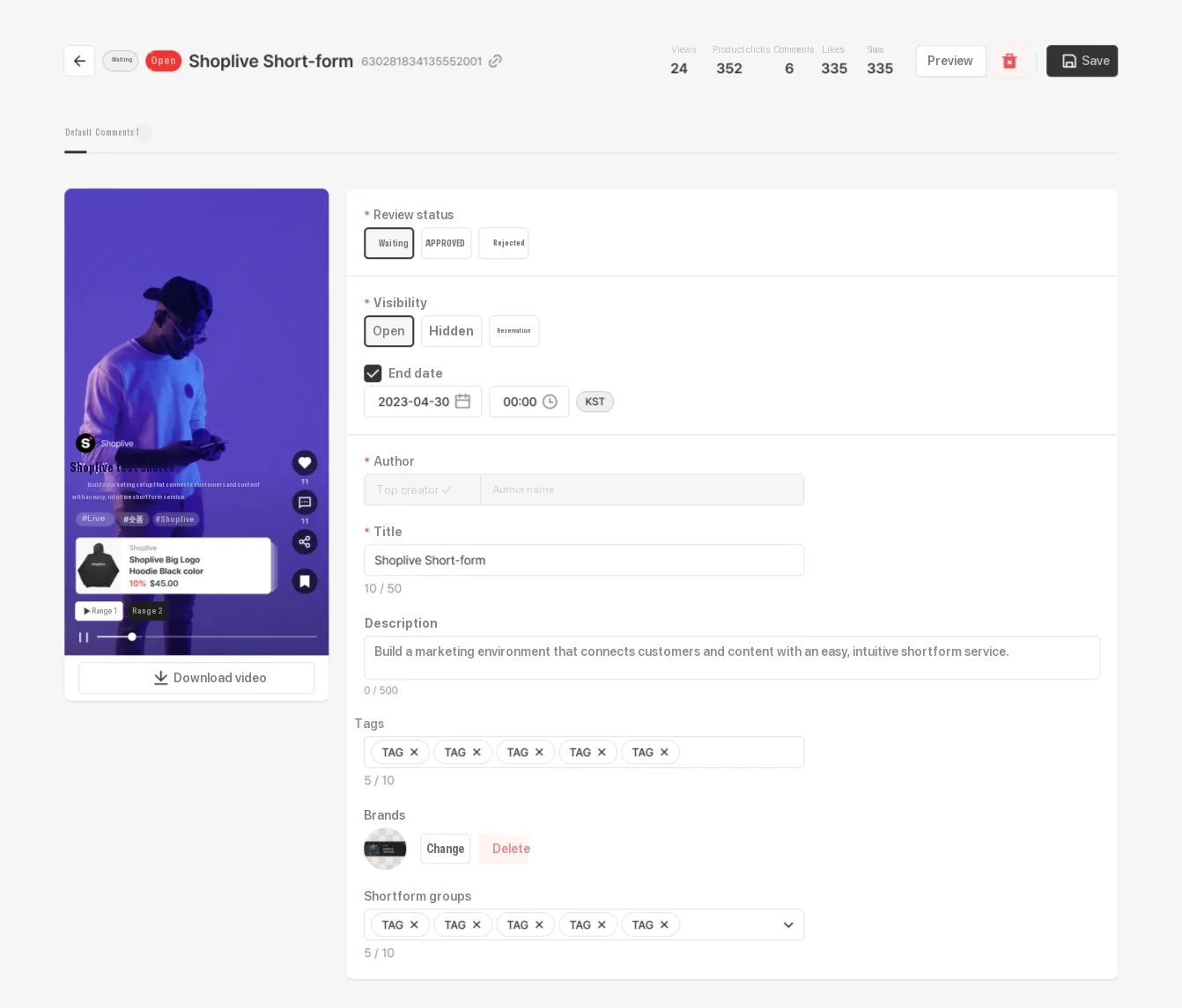
There are three review statuses, ‘Pending’, ‘Approved’ and ‘Rejected’, and videos uploaded through the UGC uploader start as ‘Pending’.
‘Pending’ or ‘Rejected’ videos aren’t shown on the page; a shortform is shown on the page only when its review status is ‘Approved’ and its visibility is ‘Public’.
There are two main ways to review UGC shortforms.
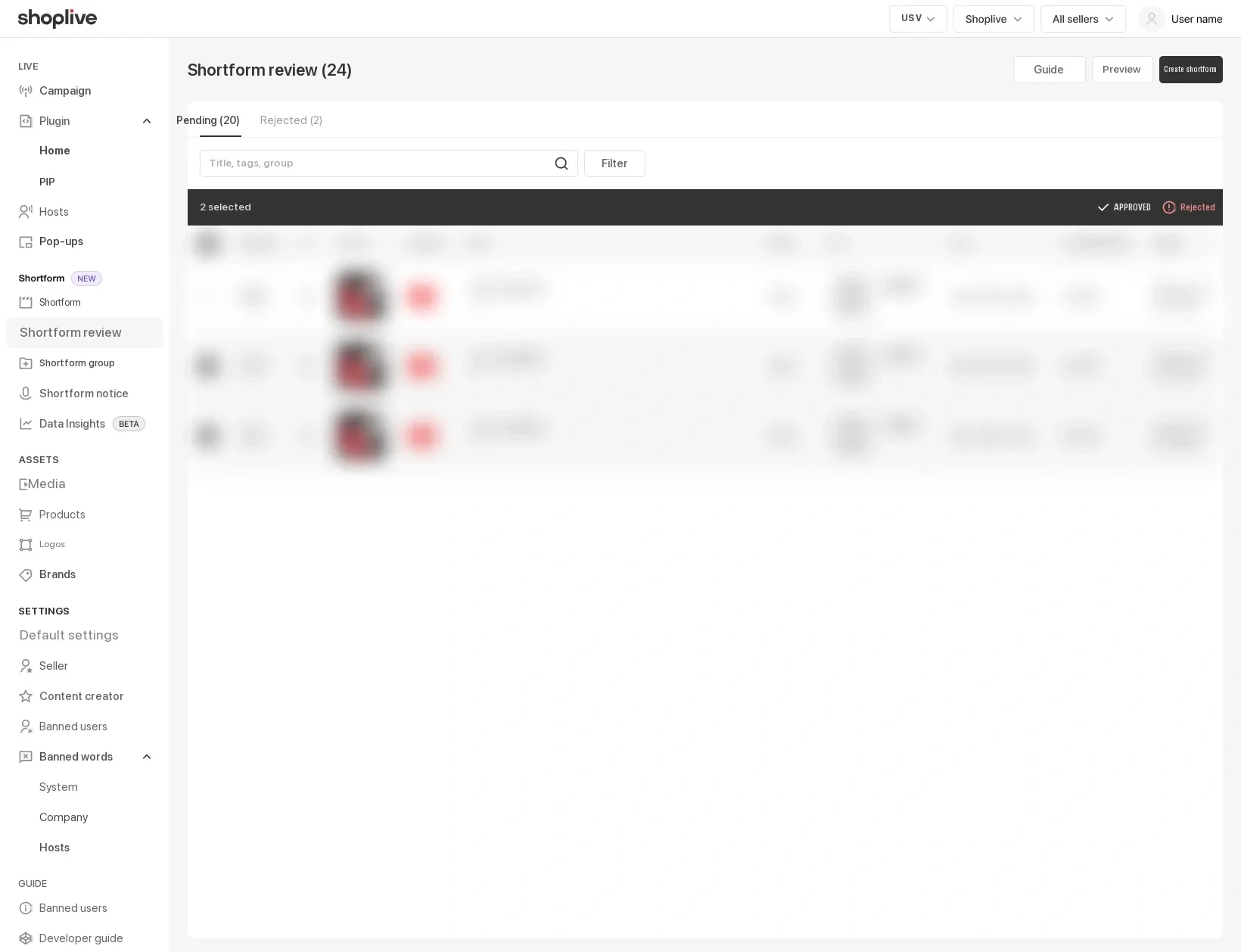
- In the Shoplive Admin → Shortform → Review menu, you can review multiple UGC items at once. This menu appears only if you use the review feature and have permission.
- In the Shoplive Admin → Shortform → shortform details, you can set the review status and visibility of individual shortforms.
The review feature helps prevent harmful content from appearing on your pages.
- In the review list you can approve or reject multiple items at once, and return processed items to Pending.
- Use review filters to narrow the list by shortform score, type, reviewer, product number and visibility.
- Enter a rejection reason when rejecting.
- Approved and rejected posts show a banner, and you can check their change history.