Guide · 2 · Enter Shortform Information and Publish
Enter Shortform Information
Enter the shortform’s information, such as the title and description. It’s shown on the left of the shortform player. The title can be up to 50 characters and the description up to 5,000 characters.
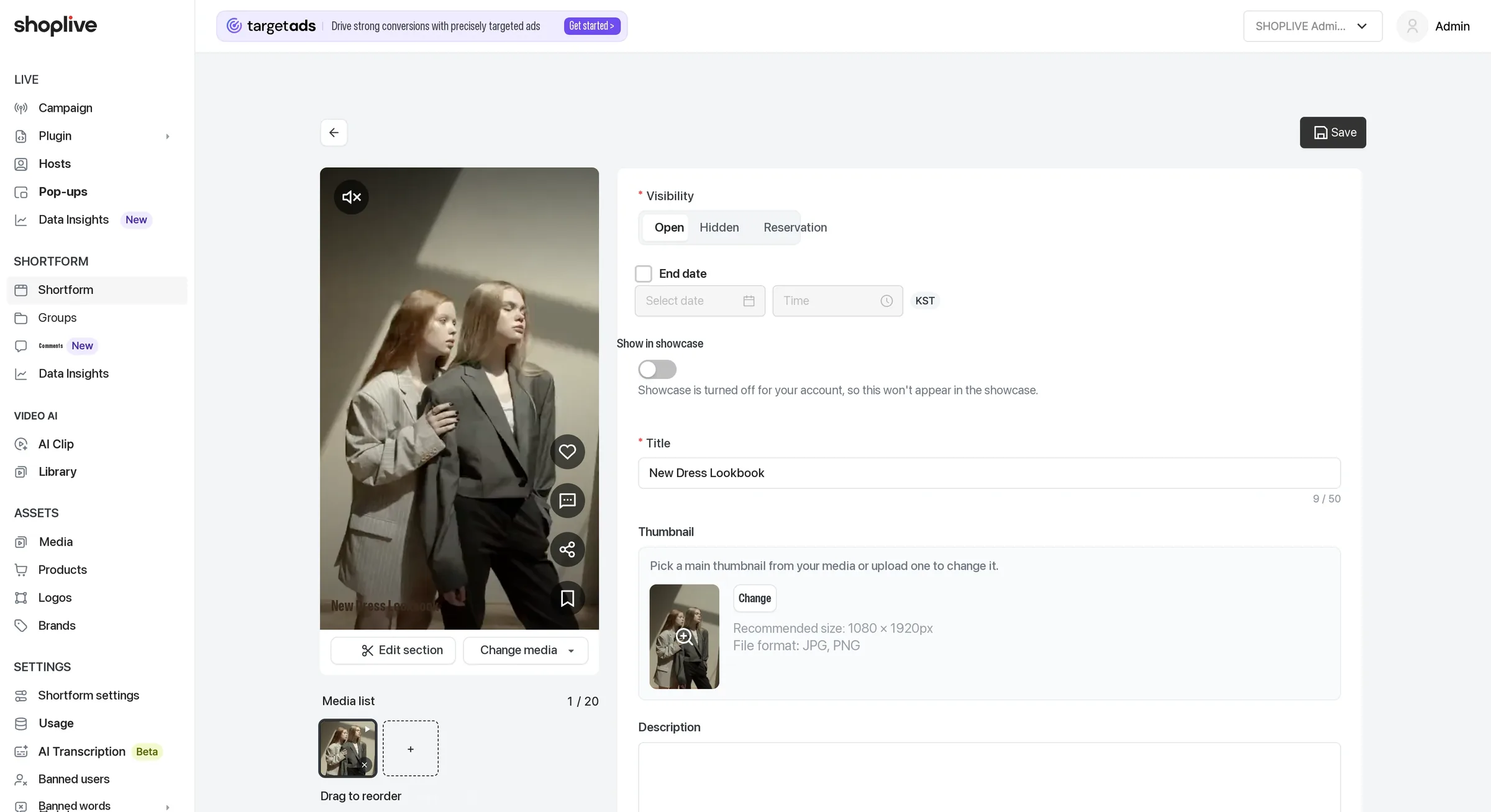
| Feature | Description |
|---|---|
| Title | Shown in the shortform player. (Up to 50 characters) |
| Thumbnail | The main thumbnail is created automatically from the uploaded media; click the Change button to pick another scene from the media or upload an image yourself. The recommended size is 1080px wide × 1920px tall, and only JPG·PNG are supported. |
| Description | Enter a description of the shortform. (Up to 5,000 characters) |
| Brand | Click the Select brand button to choose a brand. It’s shown in the shortform player. |
| Add tags | Click the Add tags button to enter up to 50 tags. Each tag can be up to 30 characters. |
| Shortform groups | This shortform can belong to up to 10 groups. Groups are managed separately under Groups in the left menu. (See "Manage groups" below) |
| Product banners | Click the Add banner button to register a banner. |
| Products | Click the Add product button to register products. |
- On the shortform detail screen you can see the review status (Pending/Approved/Rejected) and the rejection reason. Shown only when the review feature is in use.
- You can see the shortform’s change history and copy the shortform ID. The creator and last editor are shown too.
- If you use the UGC feature, enter the author (member verification).