.png)

5단계 쿠폰 사용하기
- 인쇄
5단계 쿠폰 사용하기
- 인쇄
기사 요약
이 요약이 도움이 되었나요?
의견을 보내 주셔서 감사합니다.
Shoplive Player SDK에 쿠폰 팝업 기능을 연동하기 위한 가이드입니다.
handleNavigation
쿠폰 클릭 시 호출되는 콜백 함수입니다. URL을 전달받아서 고객사 앱의 로직에 맞게 구현할 수 있습니다.
Parameter name | Type | Description |
|---|---|---|
url | URL | 정의된 링크 url입니다. |
Sample Code
import 'package:url_launcher/url_launcher.dart';

_shopLivePlayer.handleNavigation.listen((data) {
  launchUrl(Uri.parse(data.url), mode: LaunchMode.externalApplication);
});
API Reference: handleNavigation
handleDownloadCoupon
쿠폰 클릭 시 호출되는 콜백 함수입니다. 쿠폰 ID를 전달받아서 고객사 앱의 로직에 맞게 구현할 수 있습니다.
Parameter name | Type | Description |
|---|---|---|
couponId | String | 쿠폰 ID입니다. |
Sample code
import 'package:shoplive_player/shoplive_player.dart';
import 'package:rxdart/rxdart.dart';

class MainPage extends StatefulWidget {
  const MainPage({Key? key}) : super(key: key);

  @override
  State<MainPage> createState() => _MainPageState();
}

class _MainPageState extends State<MainPage> {
  late final ShopLivePlayer _shopLivePlayer = ShopLivePlayer();
  final CompositeSubscription _subscriptions = CompositeSubscription();

  @override
  void initState() {
    super.initState();
    _initListener();
  }

  void _initListener() {
    _shopLivePlayer.handleDownloadCoupon.listen((data) async {
      await handleDownloadCoupon(data.couponId);
    }).addTo(_subscriptions);
  }

  Future<void> handleDownloadCoupon(String couponId) async {
    // 쿠폰 발행 로직 구현
    // ...

    // 쿠폰 발행 결과 전달
    await _shopLivePlayer.sendDownloadCouponResult(
      couponId: couponId,
      success: true,
      message: "Coupon download success!",
      popupStatus: "KEEP",
      alertType: "ALERT",
    );
  }

  @override
  void dispose() {
    _subscriptions.dispose();
    super.dispose();
  }

  @override
  Widget build(BuildContext context) {
    return Scaffold(
      appBar: AppBar(title: const Text('Shoplive Example')),
      body: const Center(child: Text('Shoplive')),
    );
  }
}
API Reference: Coupon, handleDownloadCoupon
User define
쿠폰 클릭 이벤트를 User define으로 선택한 경우 쿠폰 연동 방법입니다. 고객사에서 필요한 정보를 JSON 형식으로 정의해 Payload 객체에 추가할 수 있습니다.
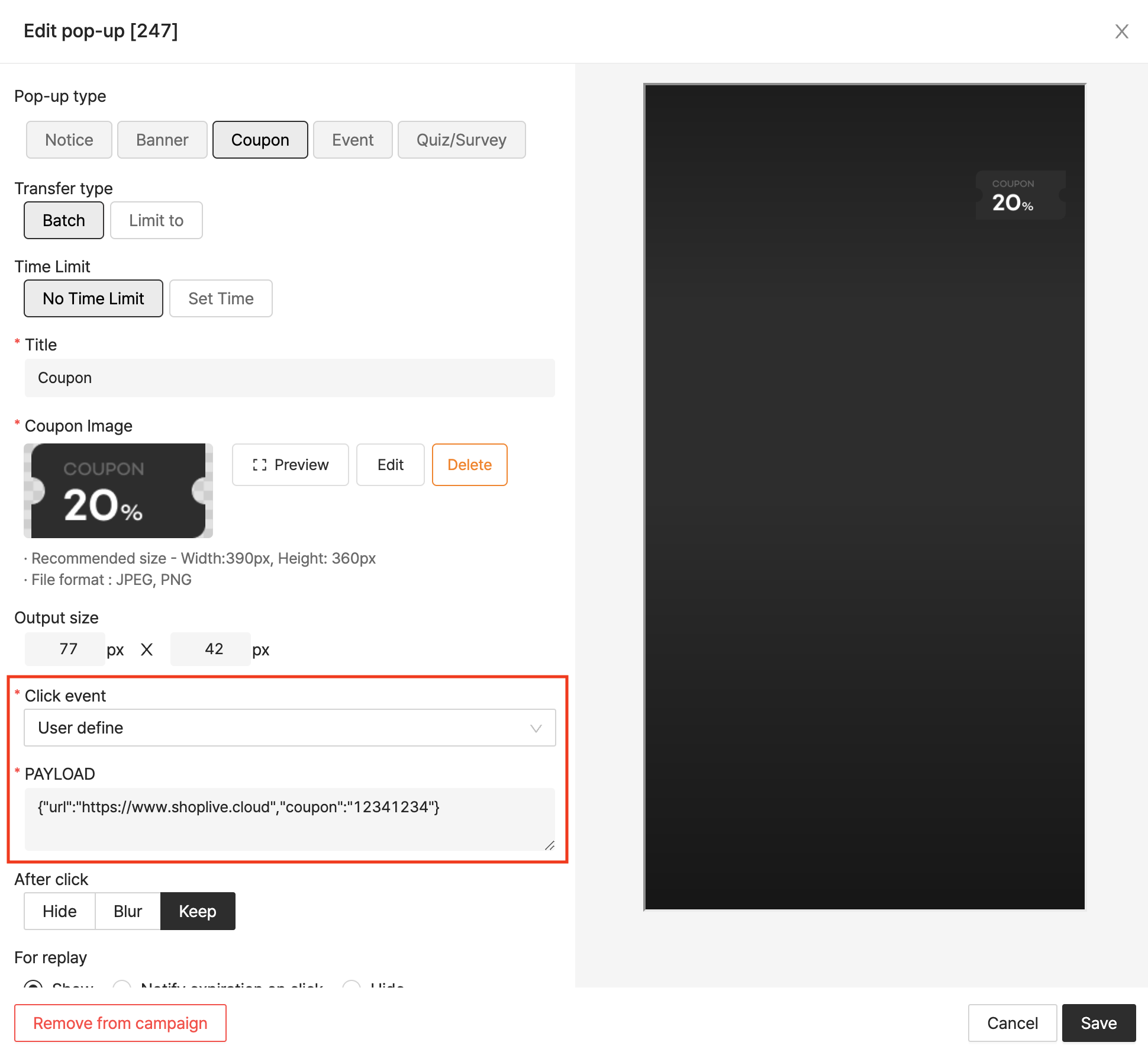
handleCustomAction
쿠폰 클릭 시 호출되는 콜백 함수입니다. 정의된 정보를 전달받아서 고객사 앱의 로직에 맞게 구현할 수 있습니다.
Parameter name | Type | Description |
|---|---|---|
id | String | 팝업의 고유 번호입니다. |
type | String | 팝업의 종류입니다. (COUPON, BANNER, NOTICE) |
payload | String | 사용자가 정의한 payload data입니다. (JSON 문자열) |
Sample Code
_shopLivePlayer.handleCustomAction.listen((data) async {
  // sendCustomActionResult 파라미터는 아래 API Reference 링크를 통해 확인할 수 있습니다.
  await _shopLivePlayer.sendCustomActionResult(
    id: data.id,
    success: true,
    message: "success!",
    popupStatus: "SHOW",
    alertType: "ALERT",
  );
});
API Reference : Coupon, handleCustomAction